Create Your First App
This section walks through the Hantera App runtime by building a minimal backend webhook app.
The app will:
- Expose an HTTP ingress
- Accept a structured JSON payload
- Execute a Reactor component
- Emit a command using
messageActor - Create an order inside Hantera
The goal is to understand how Ingress, Reactor, Actors, and the Graph work together.
Purpose
You will understand:
- How an external system reaches Hantera through ingress
- How ingress routes a request to a Reactor component
- How structured body mode validates request shape
- How Reactor emits commands using
messageActor - How ACL grants permission to actors
Prerequisite
- You have Hantera CLI installed.
- You’re authenticated to a Tenant
Step 1 — Create the app
Run:
h_ app new
This creates a new app scaffold containing:
h_app.yaml— the app manifest- A portal extension (if enabled during setup)
The manifest defines how your app integrates with Hantera core. 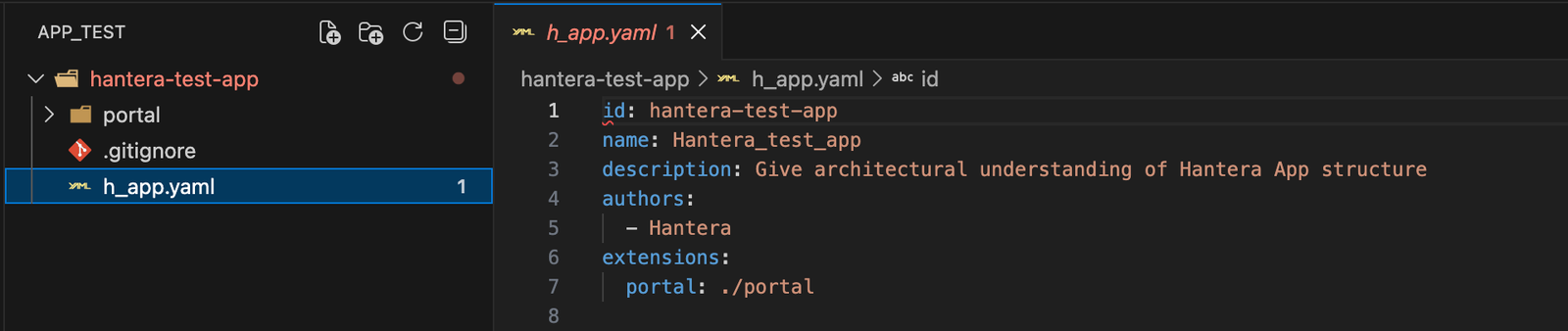
Portal extensions are optional. Orders created through Reactor are persisted in the graph regardless. A portal extension simply provides a UI surface to view and interact with that data.
Step 2 — Create a dummy payload
The payload below represents an example of an external system sending order data into Hantera.
The URL represents the webhook ingress endpoint exposed by the app.
touch orders.httpPaste the dummy payload in
POST https://core.demo-tech1.hantera.cloud/ingress/hantera-test-app/orders
Authorization: Bearer `<token>`
Content-Type: application/json

{
  "order": {
    "get": {
      "id": "69862ad139e84f0259ff8fd2",
      "reference": "<input a random letters //e.g. usyabagst>",
      "createdAt": "2026-02-15T17:54:25.000Z",
      "updatedAt": "2026-02-15T17:54:25.000Z",
      "customer": {
        "identifier": "johnkingcustomer",
        "firstName": "John",
        "lastName": "King",
        "addresses": [
          {
            "type": "delivery",
            "firstName": "John",
            "lastName": "King",
            "street": "123 main st",
            "street2": null,
            "streetNumber": "123",
            "postalCode": "90210",
            "city": "Los Angeles",
            "country": "United States",
            "email": "johnking@mail.com"
          },
          {
            "type": "billing",
            "firstName": "John",
            "lastName": "King",
            "street": "123 main st",
            "street2": null,
            "streetNumber": "123",
            "postalCode": "90210",
            "city": "Los Angeles",
            "country": "United States",
            "email": "johnking@mail.com"
          }
        ]
      },
      "cart": [
        {
          "name": "Palissade lounge sofa Iron Red",
          "sku": "palissade-lounge-sofa-iron-red",
          "quantity": 2,
          "imageUrl": "https://media.crystallize.com/hantera-demo-50/26/1/5/5628ffe7/palissade-lounge-sofa-iron-red.jpg",
          "price": {
            "currency": "eur",
            "gross": 1250,
            "net": 1000
          }
        }
      ],
      "total": {
        "currency": "eur",
        "gross": 2500,
        "net": 2000
      },
      "pipelines": null
    }
  }
}
Since structured mode is enabled in the ingress configuration, the request body must satisfy the Reactor component’s declared parameters. Structured mode causes the runtime to validate and deserialize the payload before the component executes. In this example, order is required. Optional parameters such as debug may be omitted because they define default values.
Step 3: Create the order component
Create the component file:
mkdir -p components
touch components/orders.hrc
Step 3.1: Populate orders.hrc with Reactor code
This Reactor component maps the external payload into Hantera order commands. Open components/orders.hrc and define the expected payload structure:
import 'iterators'

param debug: boolean = false

param order: {
    get: {
        id: text
        reference: text
        createdAt: instant
        customer: {
            identifier: text
            firstName: text
            lastName: text
            addresses: [{
                type: 'delivery' | 'billing'
                firstName: text | nothing
                middleName: text | nothing
                lastName: text | nothing
                street: text
                street2: text | nothing
                streetNumber: text | nothing
                postalCode: text
                city: text
                country: text
                email: text | nothing
            }]
        }
        cart: [{
            name: text
            sku: text
            quantity: number
            imageUrl: text | nothing
            price: {
                gross: number
                net: number
            }
        }]
        total: {
            currency: text
        }
    }
}

// Create fulfillment
let fulfillmentId = newid

let shippingAddress =
    order.get.customer.addresses
    where r => r.type == 'delivery'
    first

let deliveryAddressCommands =
    shippingAddress match
        nothing |> []
        |> [{
            type = 'setFulfillmentAddress'
            fulfillmentId = fulfillmentId
            name = $'{shippingAddress.firstName} {shippingAddress.middleName} {shippingAddress.lastName}'
            addressLine1 = shippingAddress.street
            addressLine2 = shippingAddress.street2
            postalCode = shippingAddress.postalCode
            city = shippingAddress.city
            countryCode = shippingAddress.country
            email = shippingAddress.email
        }]

let fulfillmentCommands =
    [[{
        type = 'createFulfillment'
        fulfillmentId = fulfillmentId
    }], deliveryAddressCommands] flatten

// Create order lines
let orderLineCommands =
    order.get.cart
    select cartItem =>

        let orderLineId = newid

        from [{
            type = 'createOrderLine'
            orderLineId = orderLineId
            fulfillmentId = fulfillmentId
            productNumber = cartItem.sku
            description = cartItem.name
            image = cartItem.imageUrl
            quantity = cartItem.quantity
            unitPrice = cartItem.price.gross
            skus = {
                (cartItem.sku) -> 1
            }
        },{
            type = 'setOrderLineTax'
            orderLineId = orderLineId
            salesTax = (cartItem.price.gross - cartItem.price.net) * cartItem.quantity
        }]
    flatten

// Emit command to order actor
from messageActor(
    'order',
    'new',
    [{
        type = 'create'
        body = {
            orderNumber = order.get.reference
            createdAt = order.get.createdAt
            currencyCode = order.get.total.currency
            taxIncluded = true
            commands = [
                fulfillmentCommands
                orderLineCommands
            ] flatten
        }
    }]
)
This component declares the expected payload structure, maps fulfillment and order line data and emits commands to the order actor. However, it does not directly mutate state. Actors validate and persist state in the graph.
Step 4: Update the manifest
Open h_app.yaml and Add:
id: hantera-test-app
name: Hantera Test App
description: Give architectural understanding of Hantera App structure
authors:
  - Hantera
extensions:
  portal: ./portal
components:
  - id: orders.hrc
ingresses:
  - id: orders
    componentId: orders.hrc
    acl:
      - actors/order:create
    type: http
    properties:
      route: hantera-test-app/orders
      httpMethod: POST
      body:
        mode: structured
      isPublic: true
The manifest registers the Reactor component, exposes it via HTTP ingress, grants permission to create orders, and enables structured body validation. It links ingress, component, and actor permissions together.
Step 5: Start the app
Run in development mode:
h_ app devStep 5.1: Send the external payload request:

Step 5.2: View the order in the portal
Because the portal extension was enabled, the created order can now be viewed in Hantera’s portal. 
You have now gone from an external webhook payload to a persisted order visible in Hantera using Apps.